Your tablet. Your shortcuts
Give your pen a comfortable touch, your wheel a purpose, and every button a job you remember. TabletKey is a standalone Python driver with a visual settings app for the VEIKK VO1060 on COSMIC Linux. No OpenTabletDriver installation required.
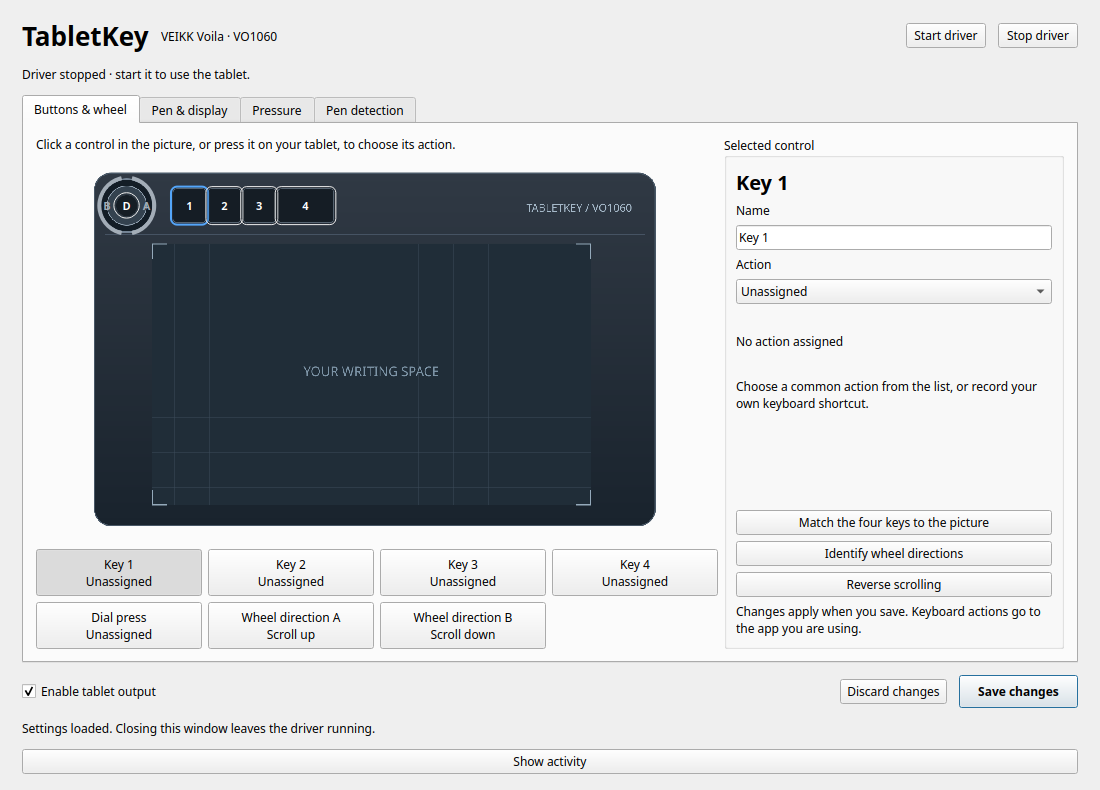
-
Press it. See it. Map it.
Controls light up as you use them. Choose an action or record your shortcut. No hexadecimal guessing games.
-
Write with a lighter hand.
Try Light touch, inspect the response curve, and calibrate to a comfortable stroke. Raw and mapped pressure stay separate.
-
Keep your space.
Choose a display and drag the tablet's active area. Closing settings keeps the background driver—and your mappings—running.
-
Understand the signal.
See when the pen is hovering, touching the tablet, or moving out of range with a live detection timeline.
A small command, a useful window
uvx tabletkey setup --install  # explicit one-time Linux device permissions
uvx tabletkey                  # open settings, then click Start driver
Connect your tablet, click Start driver, and choose your settings.
For daily use, uv tool install tabletkey provides a persistent installation.
Prefer the code? Run from source.
Compatibility
TabletKey targets VEIKK Voila VO1060, USB 2feb:000b, on COSMIC Wayland.
It supports pen input, pressure adjustment, global button shortcuts, wheel scrolling, and monitor mapping.
Per-app profiles, tilt output, and other tablet models are not supported.
See desktop compatibility for the current Linux integration.
Independent project. Not affiliated with VEIKK. Original diagram and project code are MIT licensed.